Invois Satu
kategori : Invois
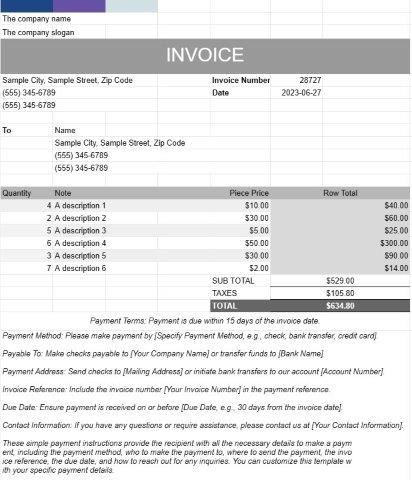
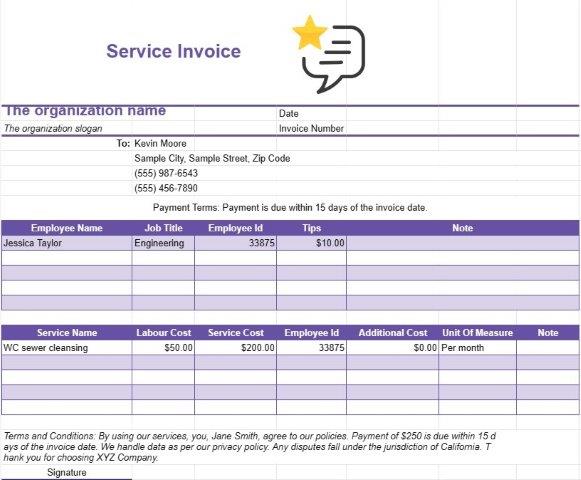
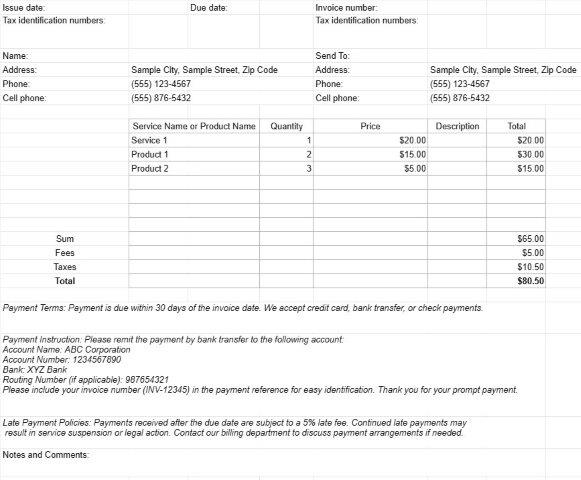
Ini adalah templat untuk digunakan sebagai invois, pengguna boleh menyenaraikan perkhidmatan atau barangan pada invois
Dokumen templat Invois One ialah format piawai dan profesional yang digunakan untuk menjana invois dalam pelbagai tetapan perniagaan. Ia merupakan alat yang penting untuk pekerja bebas, perniagaan kecil dan perusahaan yang lebih besar.
Tujuan utama dokumen templat Invois Satu adalah untuk memudahkan pelanggan atau pelanggan pengebilan untuk produk yang dijual atau perkhidmatan yang diberikan. Berikut ialah elemen dan ciri utama dokumen templat Invois One:
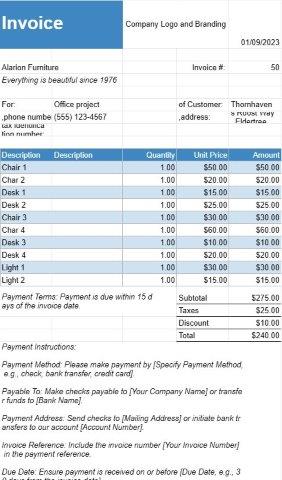
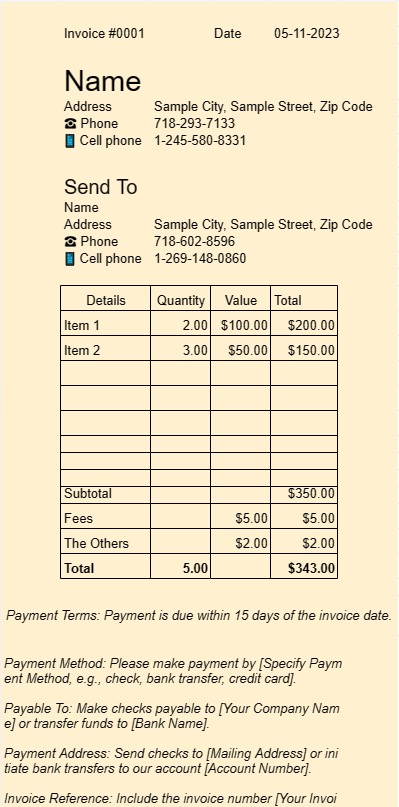
- Maklumat Pelanggan: Ia biasanya termasuk medan untuk nama pelanggan atau nama syarikat, maklumat hubungan dan alamat pengebilan. Ini memastikan bahawa invois sampai kepada penerima yang betul.
- Butiran Invois: Bahagian ini menggariskan butiran invois, termasuk nombor invois, tarikh keluaran dan tarikh tamat tempoh. Nombor invois unik membantu pengirim dan penerima merujuk invois dengan mudah.
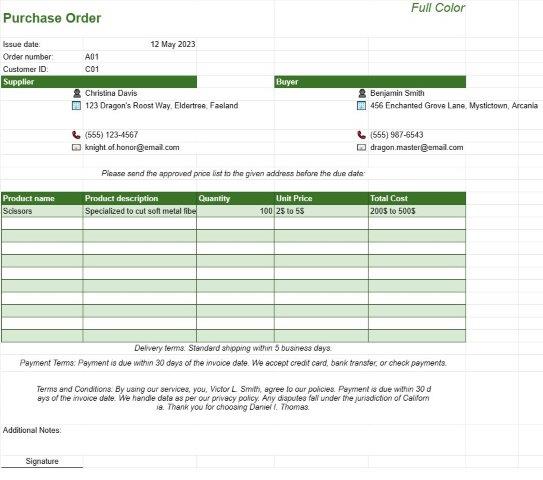
- Caj Terperinci: Inti invois terletak pada senarai terperinci produk atau perkhidmatan yang disediakan. Setiap item baris termasuk perihalan produk atau perkhidmatan, kuantiti, harga unit dan jumlah kos. Tahap perincian ini memastikan ketelusan dan kejelasan dalam proses pengebilan.
- Subjumlah dan Jumlah: Templat mengira subjumlah secara automatik untuk item baris individu dan menghitungnya untuk memaparkan jumlah terhutang . Ia juga mungkin termasuk medan untuk cukai, diskaun dan caj penghantaran, bergantung pada jenis transaksi.
- Syarat Pembayaran: Templat Invois Satu selalunya termasuk bahagian yang menyatakan syarat pembayaran , seperti tarikh akhir dan kaedah pembayaran yang boleh diterima. Syarat pembayaran yang jelas membantu mengelakkan kekeliruan dan memastikan pembayaran tepat pada masanya.
- Nota Tambahan: Biasanya terdapat ruang untuk menambah nota atau ulasan tambahan, membenarkan pengirim memberikan sebarang konteks atau arahan yang diperlukan.
- Logo Perniagaan: Banyak perniagaan memilih untuk memasukkan logo syarikat mereka pada invois untuk tujuan penjenamaan. Ini memperkukuh profesionalisme invois.
- Maklumat Hubungan: Templat biasanya memaparkan maklumat hubungan perniagaan atau individu yang menghantar invois. Ini memastikan bahawa penerima boleh menghubungi dengan mudah untuk sebarang pertanyaan atau penjelasan.
- Penyimpanan Rekod: Invois yang dijana menggunakan dokumen templat Invois One berfungsi sebagai rekod penting untuk pengirim dan juga penerima. Mereka mendokumenkan butiran transaksi, yang boleh membantu untuk perakaunan, tujuan cukai dan penyelesaian pertikaian.
- Penyesuaian: Salah satu kelebihan menggunakan templat ialah keupayaan untuk menyesuaikannya untuk sesuai dengan keperluan perniagaan tertentu. Pengguna boleh menyesuaikan templat untuk memadankan penjenamaan mereka, menambah atau mengalih keluar medan seperti yang diperlukan dan menyesuaikannya dengan jenis transaksi yang berbeza.
Kesimpulannya, dokumen templat Invois One memperkemas proses penginvoisan, meningkatkan profesionalisme, dan membantu perniagaan dan pekerja bebas dibayar dengan segera untuk produk atau perkhidmatan mereka. Ia merupakan alat yang amat diperlukan untuk mengurus aspek kewangan mana-mana perniagaan.
Pratonton Mudah dan Muat Turun Templat Hamparan
Lihat versi penuh templat hamparan tanpa had untuk melihat sama ada anda menyukainya kemudian anda boleh memuat turun templat excel untuk menyimpannya pada peranti anda dan menggunakannya secara percuma.
Akses Templat Hamparan dari Mana-mana
Ini berfungsi pada semua sistem pengendalian popular seperti Windows, MacOS, Linux, iOS. Anda boleh melihat templat hamparan dan memuat turunnya tanpa program tambahan.
Cara menggunakan templat
Ketahui cara untuk pratonton, muat turun dan kemudian gunakan templat hamparan dengan mengikuti langkah-langkah yang sangat mudah diikuti
Lebih banyak templat serupa
Lihat lebih banyak templat hamparan yang berada di bawah kategori yang sama dengan yang dipilih.